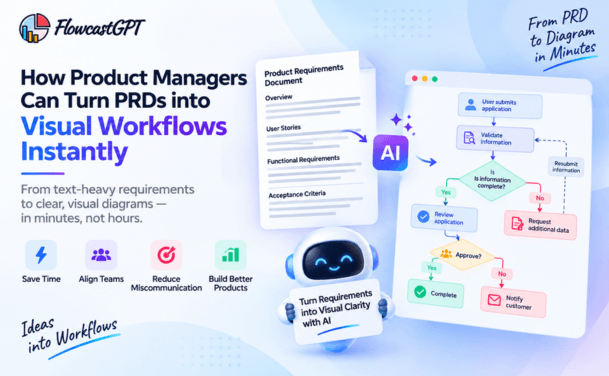
In today’s fast-paced digital world, the ability to quickly turn ideas into clear, visual representations is more valuable than ever. Whether you’re a developer designing system architecture, a product manager mapping workflows, or a business analyst explaining processes, diagrams play a crucial role in communication.
Traditionally, creating diagrams has been time-consuming. You needed to manually drag shapes, connect elements, and structure everything step by step. But with the rise of AI-powered tools, this process has changed dramatically.
Now, you can go from idea to diagram in as little as 30 seconds.
In this guide, we’ll explore how this works, why it matters, and how you can use AI diagram generators to boost productivity and clarity.
Before diving into the “how,” it’s important to understand the “why.”
Visual communication is powerful because it:
A well-designed diagram can replace pages of documentation. It allows teams to align quickly and avoid misunderstandings.
However, the challenge has always been the time and effort required to create diagrams.
Creating diagrams manually involves:
This process can take anywhere from 30 minutes to several hours.
With AI diagram tools, the process is much simpler:
What used to take hours now takes seconds.
It means you can:
For example:
Input: “User logs into app → system validates credentials → dashboard loads → user performs action → data saved to database”
Output: A complete flowchart showing the entire process.
This eliminates the need for manual design work and allows you to focus on thinking, not drawing.
Let’s break down the process.
You don’t need a perfect structure—just a clear concept.
Examples:
Write your idea in simple steps or sentences.
AI tools work best with structured input.
Instead of writing: “App process”
Write: “User signs up → email verification → login → dashboard → profile update”
The clearer your prompt, the better the output.
Paste your prompt into an AI diagram tool.
The tool will:
AI gives you a strong starting point, but you can:
This step usually takes just a few minutes.
Once your diagram is ready, you can:
AI diagram tools support a wide range of diagrams.
1. Flowcharts
Perfect for:
2. System Architecture Diagrams
Useful for:
3. Mind Maps
Great for:
4. Workflow Diagrams
Used in:
5. API Flow Diagrams
Helpful for:
AI diagram generation is useful across roles and industries.
1. Speed Create diagrams in seconds instead of hours.
2. Simplicity No design skills required.
3. Productivity Focus on ideas, not formatting.
4. Consistency AI ensures structured and organized diagrams.
5. Collaboration Share diagrams easily with teams.
Even with AI, there are a few things to watch out for. 1. Vague Prompts Unclear input leads to poor output.
Fix: Be specific and structured.
2. Overloading Information Too much detail can make diagrams cluttered.
Fix: Keep diagrams simple and focused.
3. Skipping Review AI is powerful, but not perfect.
Fix: Always review and refine.
The better your input, the better your diagram.
AI is changing how we work with information.
Instead of:
We’re moving towards:
In the future, diagrams will become the default way of sharing ideas, not an optional step.
The ability to go from idea to diagram in 30 seconds is not just a productivity hack—it’s a shift in how we think and communicate.
AI diagram tools are removing the friction between ideas and execution, allowing professionals to focus on what truly matters: clarity, creativity, and decision-making.
Whether you’re a developer, product manager, or business leader, mastering this approach can significantly improve how you work.
The question is no longer “How do I create this diagram?” It’s “How fast can I visualize my next idea?”
An AI diagram generator converts text or prompts into visual diagrams such as flowcharts, mind maps, and architecture diagrams automatically.
Yes, with AI tools, you can generate a basic diagram within seconds and refine it quickly for accuracy.
No, AI diagram tools are designed for non-designers and automatically create structured visuals.
AI tools can generate flowcharts, system diagrams, workflows, mind maps, and API diagrams.
They are generally accurate but may require minor adjustments depending on the complexity of the input.