Product teams work with complex ideas every day. They map user journeys, document workflows, explain system architecture, visualize product requirements, and communicate how different components interact. These diagrams help product managers, designers, developers, business analysts, and stakeholders understand what needs to be built and how it should work.
However, creating and maintaining diagrams manually can take considerable time. A simple workflow may require repeated adjustments, while a change in product requirements can mean updating multiple diagrams, documents, and technical specifications.
AI-powered diagramming is changing this process.
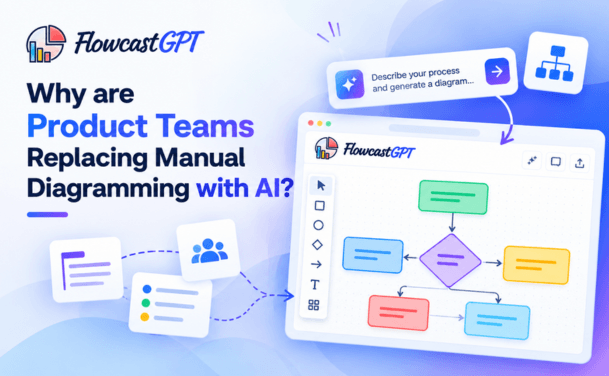
Instead of building every diagram from scratch, product teams can describe a process, workflow, or system in plain language and use AI to generate an initial visual representation. They can then review the output, correct inaccuracies, and refine it as requirements evolve.
This approach helps teams spend less time on repetitive diagram creation and more time on product decisions, collaboration, and implementation.
In this article, we'll explore why product teams are adopting AI diagramming tools, how AI changes the product development workflow, what limitations teams should consider, and how tools such as FlowcastGPT can help turn ideas into clearer visual documentation.
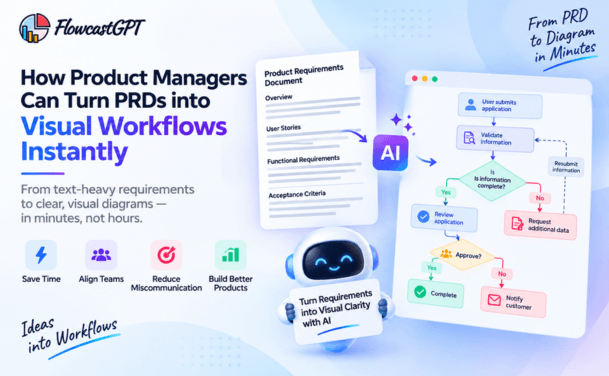
Read: How Product Managers Can Turn PRDs into Visual Workflows Instantly
AI diagramming is the use of artificial intelligence to create or assist with creating diagrams from natural-language descriptions, written requirements, structured information, or other inputs.
Traditional diagramming generally requires users to select shapes, position elements, connect components, label relationships, and organize the layout manually.
With AI diagramming, users can describe what they want to visualize. The tool interprets the description and generates an initial diagram that can be reviewed and refined.
For example, a product manager could describe the following workflow:
"When a customer submits a support request, validate the information, check whether the issue is covered by the knowledge base, resolve it automatically if possible, and assign unresolved cases to a support agent."
An AI diagramming tool can use this description to create a flowchart showing the process steps, decision points, and different paths for resolved and unresolved requests.
The team can then inspect the diagram, correct any missing branches, and refine the workflow before implementation.
Depending on the tool, AI diagramming can support:
The exact diagram types and level of automation depend on the tool. The important difference is that AI can create a useful starting point from a description rather than requiring every visual element to be placed manually.
Manual diagramming remains useful, particularly when teams need precise control over complex visual structures. However, relying on manual creation for every diagram can introduce friction into product development.
Here are seven reasons product teams are exploring AI-powered alternatives.
Product development involves many activities beyond creating diagrams. Teams need to understand user problems, prioritize features, define requirements, validate assumptions, coordinate with engineering, and review product performance.
Manually creating a diagram adds another task to this process.
Even a relatively simple workflow may require users to:
When teams repeat this process across multiple features, projects, and stakeholders, diagram creation can become a recurring administrative burden.
AI diagramming can reduce some of this manual work by generating an initial layout from a written description.
Instead of beginning with a blank canvas, the team starts with a draft that can be evaluated and improved.
Why it matters: Product managers and engineers can spend more time validating the process itself instead of spending as much time arranging shapes and connectors.
The actual time savings depend on the complexity of the diagram, the quality of the input, and how much correction the generated output requires.
Product requirements rarely remain unchanged throughout development.
Customer feedback may introduce new requirements. A technical review may reveal an integration constraint. A stakeholder may request an additional approval step, or a team may discover that an existing workflow needs a different exception path.
These changes often affect diagrams that have already been created.
For example, consider an e-commerce checkout workflow. The original process might include selecting a product, entering delivery details, making payment, and receiving an order confirmation.
Later, the product team decides to introduce inventory validation before payment and an alternative path for failed transactions.
The workflow now needs additional decision points and connections. If the diagram is maintained manually, someone must update the relevant elements and verify that the rest of the process still makes sense.
AI-assisted diagramming can make it easier to regenerate or revise a first draft from the updated description, depending on the tool's editing and regeneration capabilities.
The team must still review the changes to ensure that existing business rules have not been lost or misinterpreted.
Why it matters: AI can help teams adapt their visual documentation as requirements evolve, provided they maintain a clear source of truth and validate each revision.
Written requirements are useful, but lengthy descriptions can be difficult to interpret consistently.
A product manager may describe a multi-step approval process in a document. A developer may interpret one of the conditions differently. A business stakeholder may overlook an exception that only becomes apparent during implementation.
A diagram makes the relationships between steps more visible.
Consider a subscription cancellation workflow. It might involve:
A visual representation helps the team examine the order of operations, identify decision points, and discuss exceptions.
AI diagramming makes this approach more accessible because team members can begin with a written explanation rather than manually building the visual structure.
This can be especially useful for product managers, business analysts, and other professionals who understand a process but do not spend their entire day working in diagramming software.
Why it matters: The easier it is to create a visual representation, the easier it becomes to use diagrams during planning, review, and cross-functional discussions.
Product development requires coordination across different roles.
Product managers define business requirements. Designers consider user interactions. Developers evaluate implementation details. QA engineers identify test scenarios, and business stakeholders validate expected outcomes.
Each group may approach the same requirement from a different perspective.
When documentation is unclear, teams may develop different assumptions about how a feature should behave.
AI-generated diagrams can give everyone a shared starting point for discussion.
For example, a product team designing an account registration feature might use a diagram to review:
Instead of reviewing these requirements only as written statements, the team can examine the flow together and identify missing scenarios.
Diagrams can also make meetings more focused. Participants can discuss specific branches and decisions instead of trying to reconstruct the entire process from a long document.
When the tool supports sharing or exporting diagrams, teams can distribute the visual for review across locations and time zones. FlowcastGPT, for example, supports sharing diagrams through a URL and exporting outputs for use in documentation and presentations.
Why it matters: Shared visual references help teams discuss the same process and make disagreements easier to identify before implementation.
In some organizations, creating diagrams depends on a small group of people who have experience with specific modeling tools or conventions.
When these individuals are busy, other team members may postpone documentation or create incomplete visuals.
This can leave product requirements in text documents, meeting notes, or individual working files without a consistent visual representation.
AI diagramming lowers some of the practical barriers to creating an initial diagram. A product manager can describe a workflow, a business analyst can visualize a process, and a developer can draft an interaction flow without necessarily starting from a blank canvas.
This does not eliminate the need for diagramming expertise. Complex systems may still require experienced architects, engineers, or analysts to ensure that the visual model is technically correct.
However, AI can help more team members participate in the initial documentation process.
Why it matters: Teams can make visual documentation part of everyday product work rather than treating it as a specialized task that happens only when time permits.
A product workflow may be represented in several places:
If each artifact is maintained separately, changes can create inconsistencies.
For example, a diagram may show that an approval is required before an order is processed, while the written procedure describes approval after processing. Developers may then receive conflicting instructions.
This is more than a documentation problem. It can affect implementation, testing, training, and operational reliability.
AI-powered documentation workflows can help reduce this gap when multiple outputs are generated from a shared process description or model.
FlowcastGPT supports generating a visual process diagram, a structured SOP document, and a code scaffold from one process description. This gives teams a way to begin with aligned artifacts rather than creating each one through a separate manual translation process.
Generated outputs still require validation. Teams should confirm that the diagram, document, and code scaffold accurately reflect the intended business logic before using them in production.
Why it matters: A shared source of process information can make it easier to maintain consistency across visual documentation, written procedures, and early implementation work.
Product development often involves exploring several possible approaches before choosing one.
A team may compare different onboarding flows, evaluate alternative approval processes, or examine how a new feature will interact with existing services.
Manually creating a diagram for every possible approach can discourage experimentation, particularly when the alternatives are still preliminary.
AI diagramming can reduce the effort required to create initial visual drafts, making it easier to compare ideas before committing to a design.
For example, a product team could visualize three possible onboarding processes:
The team could compare the diagrams, discuss trade-offs, and select the most appropriate approach for further design and testing.
AI-generated alternatives should not be treated as evidence that one design will perform better. Product teams still need user research, technical evaluation, and testing to determine which option is most effective.
Why it matters: Reducing the cost of producing an initial diagram can make it easier to explore and communicate different product ideas.
Also read: Creating SOPs Faster Using AI-Generated Flowcharts
Before any conversation about what AI diagramming can do, it helps to be honest about what manual diagramming actually costs — not just in the obvious ways, but in the less visible friction that compounds across a product organization.
The most straightforward cost is time. Building a diagram manually — even with a template and a good diagramming tool — requires placing individual elements, drawing and adjusting connections, checking alignment, applying consistent styling, and verifying that the notation conforms to whatever standard your team uses (UML, BPMN, C4, or none at all).
For a simple flowchart representing a user registration flow, a capable product manager or engineer might spend 20–40 minutes. For a complex system architecture diagram or a multi-path user journey, two to three hours is not unusual. When you multiply that by the number of diagrams a product team produces in a quarter — for PRDs, engineering specs, stakeholder reviews, onboarding documentation, and retrospectives — the cumulative time investment is substantial.
Research from Celiveo on AI productivity benchmarks found that document creation and editing tasks fall 50–80% in time when AI assistance is introduced, with teams delivering projects 35% faster overall. Even partial gains in diagramming speed — say, reducing a 45-minute diagram build to five minutes — compound meaningfully across a team of ten or twenty people over a quarter.
Manual diagramming is inherently inconsistent. Different team members have different conventions. One engineer labels components with service names; another uses technical acronyms. One product manager uses filled diamonds for decision nodes; another uses circles. Colors vary. Arrow styles vary. The level of detail varies.
This inconsistency is more than an aesthetic problem. When diagrams look and feel different across a product organization, they are harder to compare, harder to audit, and harder to use as reliable documentation. New team members spend time decoding conventions rather than understanding system logic. Stakeholders in cross-functional reviews lose time to clarifying questions that should be answered by the diagram itself.
AI diagramming eliminates this problem by generating outputs that conform to a defined standard — UML, BPMN, C4, ArchiMate, or your team's custom schema — every time. The diagram produced from a natural-language prompt on Monday follows the same conventions as the diagram produced on Thursday. The visual language becomes predictable, which makes the documentation trustworthy.
Manual diagramming and stakeholder feedback loops are a genuinely painful combination. A product manager builds a user flow diagram, shares it in a review, and receives five sets of comments. Now the diagram has to be opened, modified, realigned, and re-exported. If the changes are structural — adding a new path, removing a step, splitting one flow into two — the rework can take as long as the original build.
In a fast-moving product organization, this revision cycle repeats constantly. Sprint velocities are affected. Launches are delayed not because the engineering work is blocked, but because the documentation and alignment artifacts — the diagrams — cannot keep pace with the decisions being made.
AI diagramming compresses revision cycles dramatically. A follow-up prompt — "add an error path after the payment step" or "remove the optional profile completion step and reconnect the flow" — produces an updated diagram in seconds rather than minutes. The feedback loop becomes conversational rather than transactional.
Every time a new engineer, designer, or product manager joins a team, they inherit a documentation ecosystem that was built up over time by people who are no longer there to explain it. Diagrams without consistent notation, diagrams that are out of date, diagrams that exist in three different tools with three different levels of fidelity — all of this creates onboarding friction that extends the time to productivity for new team members.
AI-generated diagrams, produced consistently from text descriptions, are inherently easier to maintain and update. When the underlying system changes, updating the diagram is a prompt revision rather than a manual rebuild. The documentation stays current, which means it stays useful for onboarding rather than becoming a liability.
Check out: AI Workflow Visualization for Digital Transformation Projects - A Complete Guide
The move from manual to AI diagramming is not a single-cause trend. Several converging factors are making the switch increasingly obvious for product teams in 2026.
The systems that product teams are building and documenting have grown substantially more complex over the past five years. Microservices architectures, multi-cloud infrastructure, event-driven systems, and AI-augmented workflows each introduce new layers of dependencies, interactions, and failure modes that must be mapped and communicated.
Manual diagramming was manageable when a system had twenty components. It becomes genuinely unwieldy when a system has two hundred, with multiple teams responsible for different sections and a constant stream of changes from every sprint. AI diagramming tools that can generate architecture diagrams from code, API schemas, or natural-language descriptions are not a luxury in this environment — they are a practical necessity.
The shift to distributed product teams over the past several years removed the shared physical whiteboard from the standard product workflow. In its place came a proliferation of digital diagramming tools — Miro, Lucidchart, FigJam, draw.io, Visio, Whimsical — each with its own learning curve, its own file format, and its own set of conventions.
This tool fragmentation created new coordination costs. Teams spend time not just building diagrams but negotiating which tool to use, exporting between formats, and managing version conflicts when multiple people edit the same diagram simultaneously. According to Miro's research on AI diagramming, teams using AI-assisted diagramming report significantly faster alignment in cross-functional sessions, with less time spent on diagram setup and more time on actual decision-making.
AI diagramming tools that generate from natural language input sidestep much of this friction. The starting point is a description, not a blank canvas. The output is a structured, editable diagram, not a freehand sketch that requires interpretation.
Historically, complex diagrams — system architecture, data flow, sequence diagrams — were the domain of engineers and technical architects. Product managers and designers typically contributed user flows and wireframes. The expectation was that you needed technical diagramming skills to produce technically accurate diagrams.
AI diagramming democratizes diagram creation across the entire product organization. A product manager who can describe a system in plain English can now generate a technically sound sequence diagram or architecture overview without needing to know UML notation. A designer who understands a user journey can generate a BPMN flow without learning process modeling conventions.
This democratization is not about replacing technical expertise — it is about removing the bottleneck that exists when only two or three people on a team can produce certain types of diagrams. When everyone can contribute to the documentation, the documentation gets done faster and with more diverse input.
The most practical reason for the shift is the simplest: AI diagramming tools have become good enough. Earlier generations of automated diagram generation produced outputs that required substantial manual cleanup — misconnected arrows, illogical groupings, layouts that conveyed the structure of the diagram but not the logic of the system. The cleanup time often exceeded the time saved by automation.
The current generation of AI diagram tools, built on large language models with spatial reasoning and diagramming domain knowledge, produces outputs that are immediately usable with minor refinement rather than major reconstruction. Iterative prompt-based refinement allows users to adjust diagrams conversationally until they accurately reflect the system or process being documented. The quality has crossed the threshold from "interesting experiment" to "daily workflow."
Also check: FlowcastGPT New Features - Generate Process Documents & Code Scaffolding with AI Capabilities
For product teams considering the switch, the practical question is not whether AI diagramming is better in principle — it is how it changes day-to-day workflows in ways that matter.
Product Requirements Documents and engineering specifications are significantly more useful with embedded diagrams — user flows, state machines, data models, sequence diagrams. In a manual workflow, adding these diagrams to a PRD often means blocking time specifically for diagram creation, which delays the document from being shared and reviewed.
With AI diagramming, a product manager can describe the user flow in the PRD itself — "the user enters their email, gets a verification link, clicks to confirm, and is directed to onboarding" — and generate a corresponding flow diagram in the same session. The diagram goes into the document immediately, without a separate workflow step. PRDs ship faster, with better visual documentation.
Sprint planning sessions frequently involve describing workflows, system states, and decision logic verbally — and hoping that the entire cross-functional team ends up with the same mental model. When someone opens a whiteboard or diagramming tool, building the diagram in real time is slow enough that it often gets abandoned in favor of continuing the verbal discussion.
AI diagramming tools allow a sprint planning facilitator to describe a workflow in natural language, generate a diagram on-screen in seconds, and immediately invite the group to react to a shared visual representation. The diagram becomes the anchor for the conversation rather than an afterthought. Teams report faster alignment, clearer decision records, and more structured outcomes from planning sessions that incorporate AI-generated visuals.
The gap between product and engineering is often a documentation gap. Product managers describe a feature in words and wireframes; engineers interpret that description and build something that may or may not match what was intended. Diagrams bridge this gap — but only when they are accurate, detailed, and consistent.
AI-generated system architecture diagrams, sequence diagrams, and data flow diagrams, produced from the same natural-language descriptions that go into the PRD, give engineering teams a precise, visual representation of intended behavior. Interpretation errors that previously surfaced at QA or post-launch are caught at handoff, before any code is written. The cost of fixing a misunderstanding at the PRD stage is a prompt revision; the cost of fixing it after implementation is a sprint.
The most common failure mode for technical documentation is staleness. A diagram is accurate when it is created. Then a sprint happens, a component is renamed, an API changes, and the diagram is out of date. Nobody updates it because updating it manually requires rebuilding it — and rebuilding it is expensive enough that it gets deprioritized until the documentation is so far out of sync that it is actively misleading.
AI diagramming makes updates cheap. Describing what changed — "the payment service now calls the fraud detection service before confirming the transaction" — produces an updated diagram in seconds. When updates are cheap, they happen. When they happen, documentation stays accurate. Accurate documentation is worth orders of magnitude more than beautiful documentation that no longer reflects reality.
Product and engineering teams communicate regularly with stakeholders — executives, customers, partners, investors — who do not have technical backgrounds. Translating complex system architecture or multi-step workflows into visuals that non-technical stakeholders can understand is a specialized communication skill that not every product manager has naturally.
AI diagramming tools can generate different views of the same system at different levels of abstraction: a detailed sequence diagram for the engineering team and a simplified flow overview for the executive review, both produced from the same underlying description. This consistency — the same system, correctly represented at different levels of detail — builds stakeholder confidence and reduces the common frustration of receiving contradictory descriptions of how a system works.
AI diagramming and manual diagramming solve a similar problem, but they approach the creation process differently.
| Comparison | Manual diagramming | AI diagramming |
|---|---|---|
| Starting point | Blank canvas or existing template | Written description, requirements, or other supported input |
| Initial creation | User places shapes and connections | AI generates an initial visual structure |
| Layout | Arranged manually or with layout assistance | Generated automatically, then refined as needed |
| Requirement changes | Users update the affected elements manually | Users may revise the description and regenerate or edit the output |
| Technical accuracy | Depends on the user's model and review | Depends on input quality, AI interpretation, and human validation |
| Best use | Precise modeling and detailed visual control | Rapid first drafts and iterative visualization |
| Human involvement | Required for creation and review | Required for review, correction, and validation |
Neither approach is universally better.
Manual diagramming remains valuable when a team needs precise control over complex models, strict visual conventions, or detailed architecture documentation.
AI diagramming is useful when teams want to create a starting point quickly, visualize written requirements, or reduce repetitive diagram-building work.
For many product teams, the practical approach is a combination of both: use AI to generate the first draft and human expertise to make the diagram accurate, complete, and useful.
AI diagramming is not limited to the initial planning stage. Teams can use it throughout product development, from exploring an idea to documenting how a feature works.
Product managers and business analysts can turn early requirements, meeting notes, and process descriptions into initial visual models.
These diagrams can help stakeholders discuss the problem, examine possible solutions, and identify missing information before development begins.
Teams can visualize business rules, approval paths, user journeys, and exceptions.
This helps reviewers examine how the proposed process should behave before requirements are finalized.
Developers and architects can use written descriptions to draft system flows and component interactions.
The resulting diagrams can support architecture discussions, but they should be reviewed against the actual system design before being treated as authoritative technical documentation.
Developers can refer to process diagrams to understand expected behavior, decision branches, and interactions between components.
When supported by the tool, a shared process description can also help produce an initial code scaffold. Generated code should be reviewed, tested, and adapted to the project's architecture, security requirements, and coding standards.
Visual workflows can help QA engineers identify normal paths, alternative outcomes, and exception scenarios.
For example, a payment workflow diagram may reveal the need to test successful payments, failed transactions, duplicate submissions, and timeout conditions.
AI-generated diagrams can help surface candidate scenarios, but test coverage should be determined through systematic analysis and validation.
Teams can use diagrams to explain business processes, system behavior, and operational procedures to new employees or stakeholders.
When diagrams and written documentation are generated from the same process description, it can be easier to establish a consistent starting point for training materials and internal documentation.
Not all AI diagram tools are equal, and the market has grown quickly enough that the differences are significant. When evaluating options for a product team, these are the capabilities that matter.
The tool should understand plain English descriptions of systems and processes without requiring the user to know any diagramming notation. A description like "a user logs in, the system checks their subscription status, and routes them to the standard dashboard or the premium dashboard accordingly" should produce a correct decision flow diagram.
Product teams need multiple diagram types — user flows, sequence diagrams, system architecture diagrams, data flow diagrams, entity-relationship diagrams, BPMN process flows. A tool that handles only one or two of these requires supplementing with other tools, which reintroduces the fragmentation problem.
The tool should accept follow-up prompts that modify an existing diagram rather than requiring a full rebuild for every change. Conversational refinement is the behavior that makes AI diagramming genuinely fast in practice.
Diagrams need to leave the tool and live in PRDs, engineering specs, wikis, Confluence pages, and design files. Support for PNG, SVG, and common diagramming formats ensures that AI-generated diagrams integrate into existing team workflows without friction.
Multiple people on a product team will work with the same diagrams. Version history, commenting, and access controls are the baseline for team diagramming workflows.
The ability to apply consistent visual standards — color schemes, fonts, shape conventions — across all generated diagrams is what makes AI-generated documentation feel like a coherent system rather than a collection of one-off outputs.
If your team needs more than visuals, consider whether the tool supports complementary outputs such as process documents, specifications, or code scaffolds.
Generating these artifacts from a shared process description can help reduce inconsistencies between documentation and implementation.
Product requirements and architecture descriptions may contain confidential information.
Review the tool's privacy policy, data retention practices, access controls, and applicable terms before submitting sensitive information. Follow your organization's security requirements when working with proprietary product or customer data.
FlowcastGPT is an AI-powered tool that transforms natural-language descriptions into diagrams and supports related process documentation and development workflows.
Rather than requiring users to construct every visual element manually, FlowcastGPT helps turn written ideas and process descriptions into an initial visual representation that teams can review and refine.

Product teams can describe a workflow or process in plain language and use FlowcastGPT to generate a corresponding visual diagram.
This can help when documenting a new feature, reviewing a business process, or explaining how different steps connect.
Many workflows contain conditional steps and alternative paths. FlowcastGPT supports the creation of process diagrams with decision points and labeled branches, helping teams represent how a process may proceed under different conditions.
The generated diagram should still be reviewed to confirm that the conditions and outcomes match the actual requirements.
FlowcastGPT can generate a structured SOP document alongside a visual process diagram from a single process description.
This can help product and operations teams establish a consistent starting point for documenting process purpose, steps, roles, and exceptions.
FlowcastGPT also supports code scaffolding and specification-plus-code bundles. Depending on the selected workflow and plan, teams can generate an initial code structure based on the described process.
This can help developers move from process visualization toward implementation, while leaving code review, integration, testing, and production readiness to the engineering team.
FlowcastGPT supports sharing diagrams and exporting outputs for use in documentation, presentations, and team reviews.
This makes it easier to bring generated visuals into the tools and discussions where product decisions are made.
By connecting diagram generation with related documentation and code scaffolding, FlowcastGPT supports a broader workflow: idea → visual understanding → documentation → initial implementation.
Explore FlowcastGPT to see how AI-powered diagramming can fit into your product workflow.
Although AI diagramming can simplify the creation process, it does not eliminate the need for careful analysis and review.
A vague description may produce an incomplete or inaccurate diagram. If a requirement does not specify what happens when an operation fails, the generated output may not include the exception path your team needs.
What to do: Provide clear inputs, include important conditions and exceptions, and compare the generated diagram against the original requirements.
A workflow may appear complete while overlooking unusual but important situations, such as duplicate requests, missing data, permission failures, or interrupted integrations.
What to do: Review normal paths, alternative outcomes, failure conditions, and boundary cases before approving the diagram.
An AI-generated system diagram is not automatically a validated architecture. Component relationships, API interactions, dependencies, and security boundaries must be checked against the actual technical design.
What to do: Involve developers or architects when diagrams describe implementation details or system behavior.
Generating multiple artifacts from one description can help establish consistency, but later changes may still require updates and revalidation.
What to do: Assign document ownership, maintain a clear source of truth, and define a review process for changes.
The goal is not to remove human judgment from diagramming. It is to reduce repetitive work while preserving the accuracy and accountability that good product development requires.
Product teams do not need to replace every existing diagramming process at once. A focused pilot can help determine whether AI-generated diagrams provide enough value to justify broader adoption.
Start with a process that the team documents frequently, such as user onboarding, feature requirements, customer support, or approval workflows.
Include the process steps, decision conditions, responsible roles, expected outcomes, and important exceptions.
Use an AI diagramming tool to turn the description into a visual draft.
Ask relevant product, design, engineering, and QA stakeholders to verify the logic, completeness, and readability.
Correct missing branches and unclear labels. If the tool supports related documentation or code scaffolds, review those outputs against the same requirements.
Compare the time spent creating and reviewing diagrams, the number of corrections required, stakeholder understanding, and how easily the documentation can be maintained.
If the pilot improves the team's workflow, introduce AI diagramming into other suitable processes.
This approach allows teams to evaluate the actual benefits without assuming that AI will improve every diagramming task.
Product teams are adopting AI diagramming to reduce repetitive visual creation work, turn written requirements into diagrams more quickly, and make process visualization accessible to more team members. AI can accelerate the first draft, while human review remains important for accuracy and completeness.
Traditional diagramming generally involves manually placing and connecting visual elements. AI diagramming can generate an initial visual structure from a written description or other supported input. Both approaches may require editing and validation, especially for complex workflows and technical diagrams.
Yes. AI diagramming tools can transform supported text inputs, such as process descriptions or written requirements, into diagrams. The output depends on the clarity of the input and the capabilities of the tool. Generated diagrams should be checked before they are used as formal documentation.
Useful diagram types include flowcharts, user journeys, process maps, system architecture diagrams, sequence diagrams, and workflow diagrams. The best choice depends on whether the team needs to explain user behavior, business logic, system interactions, or operational procedures.
AI-generated diagrams can provide a shared visual reference for reviewing requirements, discussing decision paths, and identifying missing information. They can improve collaboration when teams review the diagrams together and use them alongside clear written requirements.
No. AI can misinterpret ambiguous requirements, omit exceptions, or represent relationships incorrectly. Teams should validate the output against business rules and technical requirements before relying on it.
No. AI diagramming can assist with visual documentation, but it does not replace the judgment needed to define requirements, assess trade-offs, validate business rules, or design reliable systems. Professionals remain responsible for reviewing and approving the work.
Some tools support related outputs in addition to diagrams. FlowcastGPT, for example, supports generating process diagrams, structured SOP documents, and code scaffolds from a process description. Generated documentation and code should be reviewed before they are adopted.
Teams can measure the time required to create and update diagrams, the number of corrections needed, review cycles, documentation completeness, and stakeholder feedback. These measurements help determine whether the tool improves the workflow rather than simply moving work to a different stage.
AI can help draft architecture visualizations from written descriptions, but complex architecture work requires technical expertise. Developers and architects should validate components, interfaces, dependencies, security boundaries, and failure scenarios before using the diagram as an authoritative design reference.
Product teams are exploring AI diagramming because creating clear visual documentation should not require rebuilding every diagram from scratch.
By turning written requirements into visual drafts, AI can help teams explore ideas, communicate workflows, review decision paths, and keep product discussions focused on the underlying problem.
The greatest value comes when diagram generation fits into a broader process that includes documentation, collaboration, technical review, and implementation. AI can accelerate the initial work, but product knowledge and engineering judgment remain essential.
FlowcastGPT helps bring these steps closer together by supporting diagram generation, structured process documentation, and code scaffolding from a shared process description.
For product teams looking to reduce repetitive diagramming work and make ideas easier to communicate, AI-powered diagramming offers a practical place to start.
The future of diagramming is not about removing people from the process. It is about giving them a faster starting point so they can spend more time thinking, collaborating, and building better products.