Designing complex system architectures has always been a challenging task. Traditional diagramming tools require manual effort, constant updates, and deep expertise. Today, AI-powered diagramming tools are transforming this process—enabling teams to generate, analyze, and maintain architecture diagrams faster and more intelligently.
But not all AI diagramming tools are equal.
Choosing the right tool can significantly impact accuracy, collaboration, scalability, and long-term maintainability of your system architecture.
In this article, we'll explore the key considerations you should evaluate when selecting an AI diagramming tool, especially for complex systems.
The most important factor is what the AI can actually do.
Modern AI diagramming tools can:
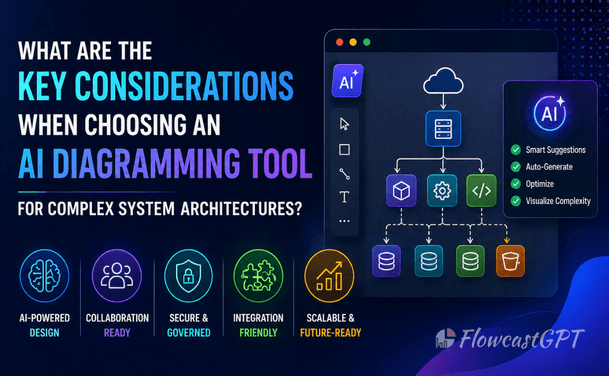
For example, AI tools can generate complete architecture diagrams from simple prompts, saving significant time and effort.
Insight:
The best tools don't just draw diagrams—they help you think architecturally.
AI-generated diagrams are powerful—but not always correct. AI tools can sometimes:
Even Microsoft emphasizes that AI should be treated as a co-pilot, not a replacement, and outputs must be validated by experts.
Insight:
Accuracy matters more than speed when dealing with complex architectures.
Read: From Idea to Diagram in 30 Seconds - A Complete Guide
A diagram that doesn't integrate with your systems becomes outdated quickly.
Modern tools allow:
For example, some platforms can visualize live AWS infrastructure directly, keeping diagrams aligned with reality.
Insight:
The future is "live architecture diagrams," not static ones.
Architecture design is never a solo activity.
AI diagramming tools should support:
Platforms like collaborative whiteboards enable teams to refine diagrams together and maintain a single source of truth.
Insight:
Without collaboration, even the best diagrams fail in real-world teams.
Read: How QA Teams Can Use AI Diagram Generators
This is a critical architectural decision.
Tools like Mermaid allow generating diagrams from text-based syntax, making them easier to maintain in documentation workflows.
Insight:
For complex systems, text-based diagrams scale better than drag-and-drop tools.
As systems grow, diagrams become more complex.
Your tool should handle:
Architecture diagrams are essential for understanding relationships, data flow, and system components—but they become harder to manage as complexity increases.
Insight:
If your diagram tool doesn't scale, your architecture documentation will fail.
Read: Top 5 Free AI Diagram Generators to Instantly Visualise Your Ideas
AI tools often process sensitive system data.
You must ensure:
Insight:
Security is not optional—especially for enterprise systems.
A diagram without context is useless.
Modern AI tools can:
AI-powered tools can automatically generate technical documentation directly from diagrams, improving clarity and consistency.
Insight:
The best tools combine visual + textual understanding.
Check out: How to Automate Your Strategy with Free Text-to-Visual Insights Using AI-Powered Diagrams
There's always a trade-off:
Modern tools balance speed, accuracy, and usability using templates and AI assistance.
Insight:
Choose based on your team's maturity—not just features.
The next generation of tools will include:
AI is already evolving to assist in planning and design processes by analyzing data and generating optimized solutions.
Insight:
Choose tools that will still be relevant 3–5 years from now.
Also check: Free AI Text To Diagram Generation Turned into FlowcastGPT
AI diagramming tools are transforming how we design and manage complex systems. They reduce manual effort, improve collaboration, and enable faster decision-making.
But the real value comes from choosing the right tool for your needs.
The best AI diagramming tool is not the one with the most features—it's the one that:
👉 Don't just choose a tool 👉 Choose a system for thinking, designing, and evolving architecture