Quality Assurance (QA) has evolved far beyond manual test cases and bug tracking. Modern QA teams are expected to work faster, collaborate better, and ensure higher levels of quality across increasingly complex systems. At the same time, applications are becoming more distributed, involving microservices, APIs, cloud infrastructure, and AI-driven components.
In this environment, visual clarity becomes critical. Understanding workflows, system architecture, and testing coverage through text alone is often inefficient. This is where AI diagram generators are transforming the way QA teams work.
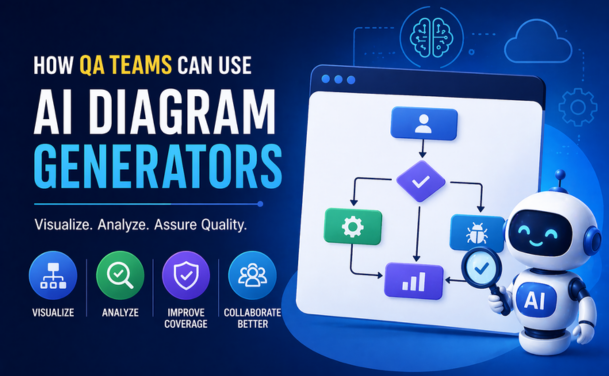
AI diagram generators use natural language input or existing documentation to automatically create diagrams such as flowcharts, system architectures, test workflows, and data flows. For QA teams, this means less time spent drawing diagrams manually and more time focusing on testing strategy and quality.
QA professionals deal with complex systems where multiple components interact with each other. Explaining these interactions through documents or spreadsheets can quickly become confusing and error-prone.
AI diagram generators simplify this by converting requirements, user stories, or test scenarios into visual representations. This improves understanding across teams, especially when working with developers, product managers, and stakeholders.
Another key advantage is speed. Creating diagrams manually can take hours, especially when systems change frequently. AI tools can generate and update diagrams instantly, ensuring that documentation always reflects the current state of the system.
One of the most practical uses of AI diagram generators in QA is visualizing test scenarios. Instead of writing long test case descriptions, QA teams can create flowcharts that clearly show the sequence of steps, conditions, and expected outcomes.
For example, a login workflow can be visualized with different paths for valid credentials, invalid credentials, multi-factor authentication, and error handling. This makes it easier to identify missing test cases or edge conditions.
Visual workflows also help new team members understand the system quickly. Instead of reading lengthy documents, they can refer to diagrams to grasp how different processes work.
Read: From Idea to Diagram in 30 Seconds: A Complete Guide
Ensuring complete test coverage is a major challenge in QA. It is easy to miss edge cases or overlook certain scenarios when dealing with complex systems.
AI diagram generators can help by mapping out all possible paths in a workflow. By visualizing these paths, QA teams can identify gaps where test cases are missing.
For instance, in an e-commerce application, a diagram can show the entire purchase journey-from product selection to payment processing. QA teams can then verify whether each step has corresponding test cases, including failure scenarios such as payment errors or inventory issues.
This approach leads to more comprehensive testing and reduces the risk of defects in production.
QA does not operate in isolation. It requires close collaboration with development, product, and operations teams. However, communication gaps often arise due to differences in technical understanding.
Diagrams act as a common language that everyone can understand. AI-generated diagrams make it easier to explain testing strategies, system behavior, and issues.
For example, when reporting a bug, QA teams can include a visual representation of the workflow where the issue occurs. This helps developers quickly understand the problem and reduces back-and-forth communication.
Similarly, during sprint planning or requirement discussions, diagrams can be used to align everyone on the expected behavior of the system.
Also read: Top 5 Free AI Diagram Generators to Instantly Visualise Your Ideas
Understanding system architecture is essential for effective testing, especially in modern applications with microservices and distributed components.
AI diagram generators can automatically create architecture diagrams from code repositories, APIs, or configuration files. QA teams can use these diagrams to understand how different services interact and where potential risks exist.
This is particularly useful for:
By visualizing the architecture, QA teams can design better test strategies and focus on critical areas.
Automation testing requires a clear understanding of workflows and dependencies. AI diagram generators can help QA teams design automation scripts more effectively by providing a visual blueprint of the system.
For example, a diagram can show the sequence of API calls in a workflow. Automation engineers can use this information to create test scripts that validate each step.
Additionally, diagrams can help identify reusable components in automation frameworks, improving efficiency and reducing duplication.
Also read: Say Goodbye to Manual Tasks - Automate Your Workflows with FlowcastGPT
When defects occur, identifying the root cause can be time-consuming, especially in complex systems. AI-generated diagrams can speed up this process by providing a clear view of how different components interact.
By tracing the flow of data and processes, QA teams can quickly pinpoint where the issue originated. This reduces debugging time and helps resolve issues faster.
For example, if a failure occurs during a payment process, a diagram can help identify whether the issue lies in the frontend, backend service, or third-party integration.
One of the biggest challenges in QA is maintaining accurate documentation. As systems evolve, diagrams and documents often become outdated.
AI diagram generators solve this problem by automatically updating diagrams based on changes in code, workflows, or inputs. This ensures that QA teams always have access to the latest information.
Up-to-date documentation is not only useful for testing but also for audits, compliance, and onboarding new team members.
To get the most out of AI diagram generators, QA teams should follow a few best practices. Start by integrating these tools into your existing workflows rather than treating them as standalone solutions. Use them during requirement analysis, test planning, and defect reporting.
Focus on clarity rather than complexity. Diagrams should simplify understanding, not overwhelm users with too much information. Break down large systems into smaller, manageable diagrams.
Collaborate with other teams when creating diagrams. This ensures that the visuals accurately represent the system and align with business requirements.
Finally, continuously review and update diagrams to reflect changes in the system. Even though AI tools automate much of this process, human validation is still important.
While AI diagram generators offer significant benefits, they are not without challenges. The accuracy of generated diagrams depends on the quality of input data. Incomplete or unclear requirements can lead to incorrect visuals.
There may also be a learning curve when adopting new tools. QA teams need to understand how to use these tools effectively and integrate them into their workflows.
Additionally, sensitive data should be handled carefully, especially when using cloud-based AI tools. Organizations must ensure compliance with security and privacy standards.
As AI continues to evolve, its role in QA will only grow stronger. AI diagram generators are just one example of how automation and intelligence are transforming testing processes.
In the future, we can expect these tools to become even more advanced-capable of generating test cases, predicting risks, and suggesting optimizations based on diagrams and system behavior.
For QA teams, this means a shift from manual effort to strategic thinking. Instead of spending time on repetitive tasks, they can focus on improving quality, enhancing user experience, and driving innovation.
AI diagram generators are redefining how QA teams approach testing, documentation, and collaboration. By turning complex systems into clear visual representations, these tools improve understanding, increase efficiency, and enhance overall quality.
For organizations aiming to scale their QA processes and keep up with modern development practices, adopting AI-powered tools is no longer optional-it is a strategic advantage.
By integrating AI diagram generators into their workflows, QA teams can work smarter, faster, and more effectively in delivering high-quality software.
AI diagram generators are tools that automatically create visual diagrams such as flowcharts, workflows, and system maps from text, code, or data, helping QA teams understand complex systems easily.
QA teams use AI diagram generators to visualize test scenarios, map workflows, analyze system architecture, and identify gaps in test coverage.
They help improve clarity, speed up testing processes, enhance collaboration, reduce manual effort, and ensure better test coverage.
Yes, by visualizing all possible workflows and scenarios, QA teams can easily identify missing test cases and ensure more comprehensive coverage.
They provide visual representations of workflows and dependencies, making it easier to design, plan, and optimize automation test scripts.
Yes, they help agile teams quickly visualize requirements, align during sprint planning, and improve communication between QA, developers, and product teams.
They don't fully replace documentation but significantly reduce manual effort by automatically generating and updating visual representations.
They create clear visual workflows that are easy for all stakeholders to understand, reducing miscommunication and improving team alignment.
QA teams can create flowcharts, test case diagrams, system architecture diagrams, data flow diagrams, and API interaction maps.
Most tools are secure, but organizations should ensure compliance with data security policies, especially when handling sensitive or proprietary information.