There was a time when creating a diagram meant opening a blank canvas, dragging shapes one by one, drawing connectors between them, aligning everything to a grid, applying consistent styling, and then doing it all again every time the underlying process changed. That time is over.
In 2026, you describe the diagram you need in plain language. The AI generates it — complete with layout, connectors, and styling — in seconds. You refine it. You share it. You move on.
This shift is not a minor efficiency gain. It is a fundamental change in how teams document processes, communicate architecture, plan workflows, and collaborate across distributed organizations. Diagramming used to mean spending 30 minutes dragging boxes and arrows in Visio or Lucidchart. In 2026, AI has changed the workflow. You describe the diagram you need in plain language and the tool generates it, complete with layout, connections, and styling.
For teams that produce diagrams regularly — and in 2026, that is almost every team in every organization — the productivity implications are significant. For enterprises managing documentation at scale, AI diagram generators are becoming essential infrastructure. This guide covers everything: what AI diagram generators are, how they work, the best tools available in 2026, how to evaluate them for enterprise use, and how to deploy them effectively across your organization.
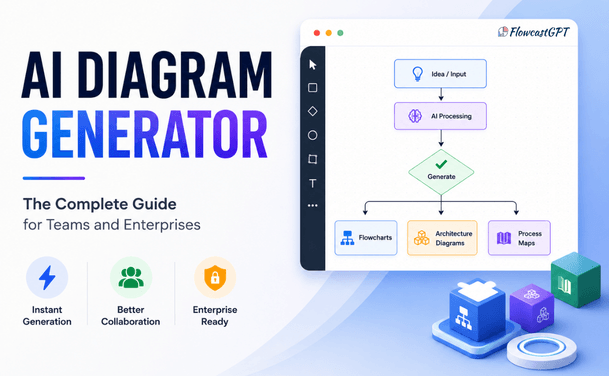
An AI diagram generator is a software tool that uses artificial intelligence — typically large language models combined with layout algorithms — to automatically create structured visual diagrams from:
The AI handles the structural interpretation — understanding relationships between elements, determining logical flow, and applying appropriate diagram types — while the layout engine handles the visual arrangement.
Organizations today face increasing complexity.
Teams must collaborate across departments, time zones, and technical expertise levels. As a result, visual communication has become more important than ever.
Traditional diagramming methods often struggle to keep pace with modern business needs.
Common challenges include:
AI diagram generators solve these challenges by automating much of the diagram creation process.
The result is faster documentation, improved collaboration, and better decision-making.
Read: Integrating AI Diagramming Tools into Your Existing Design Stack
Most AI-powered diagramming tools follow a similar workflow.
Users provide:
Natural language processing analyzes:
The AI automatically creates a visual structure with:
Users can modify:
This combination of automation and customization creates an efficient diagramming experience.
| Feature | Traditional Diagramming | AI Diagram Generator |
|---|---|---|
| Starting point | Blank canvas | Natural language or data |
| Time to first draft | 20–45 minutes | Under 60 seconds |
| Layout work | Manual, repetitive | Automatic |
| Consistency | Depends on creator | Enforced by AI |
| Updates | Manual redraw | Re-prompt or edit |
| Learning curve | Moderate to high | Minimal |
| Collaboration | Asynchronous by default | Real-time in modern tools |
The practical benefit isn't just speed. It's consistent. When five team members each build a process map by hand, you get five different styles. When the AI generates all five from the same prompt format, the output is uniform.
The adoption of AI diagram generators has accelerated rapidly. In 2026, visual workflows are part of daily operations across product teams, HR departments, IT groups, and consulting firms.
Several converging factors are driving this adoption:
In distributed teams, visual documentation replaces the whiteboard that used to sit in the conference room. Async communication requires artifacts that are self-explanatory — a well-structured process diagram communicates more clearly than a paragraph of text, especially across time zones and language differences.
Most organizations have enormous undocumented process debt. Systems, workflows, and architectures exist in people's heads but not on paper. When those people leave, the knowledge goes with them. AI diagram generators lower the barrier to documentation so dramatically that teams actually create and maintain it.
In agile environments, processes change every sprint. Architecture evolves every quarter. Traditional diagramming tools make updates tedious enough that diagrams quickly fall out of date. AI tools make re-generating an updated diagram faster than updating a document — so teams actually keep their diagrams current.
The built-in AI generates diagrams, flowcharts, mind maps, and user journeys from text prompts, tables, or sticky notes. The best tools in 2026 do not require teams to change their workflow — the AI is embedded directly in the tools they already use, including Microsoft Teams, Slack, Jira, Confluence, and Google Workspace.
Also read: How to Integrate AI Diagramming Tools into Your Workflow
Modern AI diagram generators handle a wide and growing range of visual output types:
Lucidchart dominates the 2026 ratings as the handiest enterprise solution for AI-enhanced diagramming and team collaboration across industries. Lucidchart's AI auto-generates flowcharts, UML diagrams, ERDs, org charts, and more from text prompts, Excel data, CSV files, code snippets, or database schemas. It offers an infinite zoomable canvas with thousands of templates and customizable shapes. Teams get real-time multi-user editing with comments, mentions, and version history.
Key strengths:
Best for: Enterprise teams needing broad diagram coverage, strong security, and deep tool integration
Pricing: Free tier available; Team plans from ~$9/user/month; Enterprise pricing on request
Miro offers 300+ templates, customizable shapes and icons, and clustering tools. Teams can work simultaneously with unlimited collaborators using voting, timers, and comments. Deep integrations include Jira, Trello, Slack, Microsoft Teams, Figma, and Asana, with the ability to embed docs, videos, and iframes.
Key strengths:
Best for: Product teams, UX researchers, workshop facilitators, and distributed teams that blend diagramming with ideation
Pricing: Free tier with 3 boards; Starter from $10/user/month; Enterprise pricing on request
FlowcastGPT occupies a distinctive position in the AI diagramming landscape: it is not just a diagram generator, but a full workflow automation platform with AI-powered visualization at its core. Trusted by over 100,000 users globally, FlowcastGPT combines text-to-diagram generation with intelligent process management — making it a strong choice for operations, sales, HR, and IT teams that need diagrams to be more than static documentation. Unlike tools that stop at generating a diagram, FlowcastGPT connects visual process flows to actual workflow automation. Teams can generate process diagrams, identify bottlenecks through AI-driven analysis, and act on smart recommendations — all within the same platform.
Key strengths:
What makes it different: Most diagram tools generate a visual and stop there. FlowcastGPT layers intelligent process optimization on top — surfacing bottlenecks, suggesting automation opportunities, and connecting diagram output to real operational change.
Best for: Operations, HR, and business process teams that need AI-generated diagrams as part of a broader workflow automation strategy — not just as standalone documentation
Pricing: Free plan available; visit flowcastgpt.com for team and enterprise pricing
Whimsical AI leads on speed. Whimsical added AI flowchart generation that works well for simple decision trees and process flows. The interface is clean and the results look polished.
Key strengths:
Limitations: Does not support org charts, ERDs, or network diagrams — more specialized than Lucidchart or Miro
Best for: Product managers and designers who need quick, clean flowcharts and wireframes
Pricing: Free plan available; Pro from $10/user/month
Eraser is a documentation tool that includes DiagramGPT for AI-powered diagram creation. It is purpose-built for technical teams who live in code, and its diagrams-as-code approach makes version control and automation native to the workflow.
Key strengths:
Best for: Engineering and DevOps teams that prefer code-native workflows and want architecture diagrams that stay in sync with their codebase
Pricing: Free plan available; Team plans from $8/user/month
Taskade Genesis is the best AI flowchart maker for teams who want a living project, not a flat image.
Key strengths:
Best for: Project teams that want diagrams embedded in living project contexts rather than static documents
Pricing: Free plan available; Pro from $8/user/month
Microsoft Visio remains an enterprise staple, valued for its integration with Office 365 and familiar interfaces. Deep Microsoft integration delivers productivity spikes up to 21% in enterprises already using Microsoft 365. Robust security features include multi-factor authentication, data-loss prevention, and advanced controls. Template versatility covers everything from basic charts to in-depth network mapping and floor plans.
Key strengths:
Limitations: Higher learning curve; more expensive than cloud-native alternatives; AI features are newer and less polished
Best for: Large enterprises already standardized on Microsoft 365 where Visio fits into existing governance and licensing structures
Mermaid Chart is the best for engineers who want diagrams-as-code. Mermaid uses a simple markdown-like syntax to define diagrams as text. AI tools — including ChatGPT and Claude — can generate Mermaid code that renders into flowcharts, sequence diagrams, Gantt charts, and more. Since Mermaid is natively supported in GitHub, GitLab, Notion, and many documentation platforms, it requires zero additional tooling for developer teams.
Best for: Developers and technical writers who want diagrams embedded in documentation and version-controlled with code
Pricing: Free and open-source; Mermaid Chart platform has paid tiers for collaboration
Check out: AI Diagramming Tools vs Diagram-as-Code: Which Is Better?
| Feature | FlowcastGPT | Lucidchart | Miro | Whimsical | Eraser | Taskade | Visio |
|---|---|---|---|---|---|---|---|
| AI text-to-diagram | ✅ | ✅ | ✅ | ✅ | ✅ | ✅ | ✅ |
| Workflow automation | ✅ | ❌ | ❌ | ❌ | ❌ | ❌ | ❌ |
| Real-time data sync | ✅ | ✅ | ✅ | ❌ | ❌ | ✅ | ✅ |
| Process optimization AI | ✅ | ❌ | ❌ | ❌ | ❌ | ❌ | ❌ |
| Diagram types | 10+ | 20+ | 15+ | 5 | 10+ | 8+ | 70+ |
| Real-time collaboration | ✅ | ✅ | ✅ | ✅ | ✅ | ✅ | ✅ |
| Enterprise SSO | ✅ | ✅ | ✅ | ❌ | ❌ | ❌ | ✅ |
| HIPAA compliance | ✅ | ✅ | ✅ | ❌ | ❌ | ❌ | ✅ |
| Diagrams-as-code | ❌ | ❌ | ❌ | ❌ | ✅ | ❌ | ❌ |
| Free plan | ✅ | ✅ | ✅ | ✅ | ✅ | ✅ | ❌ |
| CRM integrations | ✅ | ✅ | ✅ | ❌ | ❌ | ❌ | ✅ |
| Microsoft 365 | ❌ | ✅ | ✅ | ❌ | ❌ | ❌ | ✅ |
| Jira / Confluence | ❌ | ✅ | ✅ | ❌ | ✅ | ❌ | ✅ |
Product managers and designers use AI diagram generators daily for user flow documentation, product roadmap visualization, feature dependency mapping, customer journey mapping, and sprint planning.
Recommended tools: Whimsical (fast flows), Miro (workshop facilitation), Lucidchart (complex documentation)
Key workflow: Describe the user flow in plain language → AI generates initial diagram → Product team refines in real time → Embed in Confluence or Notion for team reference
Engineering teams use AI diagramming for system architecture documentation, database schema visualization, API flow documentation, CI/CD pipeline mapping, and incident postmortem documentation.
Recommended tools: Eraser (diagrams-as-code), Mermaid Chart (version control integration), Lucidchart (architecture templates)
Key workflow: Describe the system in technical terms or paste code → AI generates architecture diagram → Engineers refine and embed in GitHub/Confluence → Diagrams update alongside code changes
IT teams use AI diagram generators for network topology documentation, security architecture visualization, disaster recovery flow planning, and infrastructure change management.
Recommended tools: Lucidchart (network diagram library), Microsoft Visio (enterprise IT standards), EdrawMax (200+ diagram types)
Key workflow: Import network data or describe topology → AI generates network diagram → IT team validates and annotates → Exports to PDF for compliance documentation
Teams use flowcharts to map approval chains, document operating procedures, outline customer journeys, and visualize software logic. HR and operations teams use AI diagramming for org chart generation and updates, onboarding process documentation, policy workflow visualization, and process improvement mapping.
Recommended tools: FlowcastGPT (workflow automation + process diagramming), Lucidchart (org chart automation), Miro (process workshops), Taskade (project-embedded documentation)
Key workflow: Import HRIS data → AI generates current org chart → HR annotates with role changes → Updates automatically when data changes
Consulting teams use AI diagram generators for client process documentation, current-state and future-state mapping, project governance frameworks, and stakeholder analysis visualization.
Recommended tools: Lucidchart (client-ready exports), Miro (collaborative workshops with clients), FlowcastGPT (business process optimization diagrams), Visio (enterprise client environments) Also check: Key Considerations When Choosing an AI Diagramming Tool for Complex System Architectures
For enterprise deployment, security is non-negotiable. 67% of executives believe their company has already suffered a data breach due to unapproved AI tools. Before deploying any AI diagram tool across your organization, evaluate:
Authentication and access control:
Data security:
Compliance certifications:
Enterprise IT integration:
Enterprise procurement tip: Always request a Data Processing Agreement (DPA) from any AI diagram tool before processing proprietary process documentation or system architecture diagrams. Understand clearly whether your diagram content trains their AI models — and whether that can be opted out of.
One of the most common enterprise challenges with AI tool adoption is inconsistency. Different teams adopt different tools, create incompatible formats, and produce documentation that cannot be easily shared or maintained across the organization.
A successful enterprise AI diagram strategy requires:
Standardization on 1–2 platforms: Choose tools that cover the majority of use cases and integrate with your existing productivity stack. Avoid fragmentation across five different diagram tools.
Template governance: Create organization-specific templates that enforce brand standards, naming conventions, and diagram type guidelines. Most enterprise platforms allow admins to create and distribute locked templates.
Integration with documentation hubs: The best-adopted diagram tools are the ones embedded in where teams already work — Confluence, Notion, SharePoint, or Jira. Diagrams that live in a separate tool often fall out of date.
Audit trail requirements: For regulated industries, ensure your chosen platform provides access logs, change history, and export capabilities required for compliance documentation.
Only 29% see significant ROI from generative AI, despite individual productivity gains of 5X. The gap between individual productivity gains and organizational ROI is almost always a change management problem — not a technology problem. For AI diagram generators specifically, adoption barriers include:
Adoption strategies that work:
Before committing to a platform, evaluate each tool against these criteria:
1. AI Output Quality
Test the tool with three prompts that reflect your actual use cases:
Evaluate: Are the relationships correct? Is the layout logical? Does the diagram require minimal editing to be usable?
2. Editing and Customization
The best diagram is one that gets created. AI tools remove the friction that often prevents teams from documenting their architecture, leading to better communication and fewer misunderstandings.
A good AI diagram generator should make editing as easy as generation. Evaluate:
3. Collaboration Features
For teams, real-time collaboration capability is essential. Evaluate:
4. Integration Depth
The best AI diagram tool for your team is the one that fits into your existing stack with minimal friction. Evaluate:
5. Enterprise Requirements
If evaluating for organization-wide deployment, additionally assess:
6. Pricing and Total Cost of Ownership
Evaluate not just per-seat pricing, but:
Check: How QA Teams Can Use AI Diagram Generators
The AI diagram generator space is evolving rapidly. Here is what leading platforms are building toward:
Tools will understand your codebase and generate diagrams that match your actual architecture, not just generic patterns. The next generation of technical diagramming tools will connect directly to live systems — automatically updating architecture diagrams as infrastructure changes, refreshing org charts when HRIS data changes, and keeping process maps in sync with actual workflow execution.
The ability to generate diagrams from images, voice descriptions, recorded meetings, and even video walkthroughs of processes is emerging. Teams will soon be able to walk through a process verbally and receive a structured flowchart at the end of the conversation.
Beyond generation, AI will increasingly analyze existing diagrams to identify bottlenecks, compliance gaps, redundant steps, and optimization opportunities. A diagram will not just document a process — it will critique it.
As AI agents become more capable of autonomous multi-step work, we will see agents that proactively generate and update diagrams as part of broader workflow automation — without human prompting. An agent managing a software deployment could automatically update the architecture diagram as it provisions new infrastructure.
An AI diagram generator is a tool that converts natural language descriptions, data inputs, or code into structured visual diagrams — such as flowcharts, UML diagrams, org charts, ERDs, and network maps — automatically, without manual drag-and-drop layout work.
If you're buying a single-purpose tool, Whimsical AI is the fastest polished pick, Mermaid Chart is the best for engineers who want diagrams-as-code, and Lucidchart AI is the safest enterprise choice. The best tool depends on your primary use case, team size, and integration requirements.
For most team use cases, yes — AI-native tools like Whimsical, Miro, and Eraser offer faster diagram generation with lower learning curves. For enterprise environments requiring deep Microsoft integration, compliance certifications, and the broadest diagram type coverage, Lucidchart and Visio remain strong choices.
Leading enterprise tools like Lucidchart and Microsoft Visio offer SOC 2 Type II certification, GDPR/HIPAA compliance, SSO, encryption at rest and in transit, and audit logging. Always verify data processing agreements and confirm whether your diagram content is used for AI model training before deploying organization-wide.
Accuracy depends heavily on prompt quality and diagram type. A user can describe a workflow in plain language and receive a properly connected flowchart with decision points and logical branches. Simple linear processes achieve near-100% accuracy. Complex branching workflows and technical architectures typically require a round of editing to correct relationship nuances.
Yes. Most leading platforms can generate diagrams from CSV files, Excel data, database schemas, code snippets, and JSON — not just text prompts. Lucidchart's AI auto-generates flowcharts, UML diagrams, ERDs, org charts, and more from text prompts, Excel data, CSV files, code snippets, or database schemas.
Most AI diagram generators produce an initial draft in under 60 seconds from a text prompt. The best approach is to test two or three tools with a real diagram your team needs this week. AI diagramming tools are easy to evaluate because the output is immediate: you'll know in 60 seconds whether the tool handles your use case.
Diagrams-as-code is the practice of defining visual diagrams using text-based syntax (like Mermaid or PlantUML) that renders into visuals. It is ideal for engineering teams who want diagrams version-controlled alongside their codebase, embedded in GitHub or GitLab, and automatically updated when code changes. Tools like Eraser and Mermaid Chart specialize in this approach.
The best diagram is not the most beautiful one. It is the one that gets created, shared, understood, and kept current.
For most of the history of business documentation, diagrams failed on the last three criteria. They were created once, fell out of date within a quarter, and were either ignored or — worse — actively misleading to anyone who consulted them without knowing they were stale.
AI diagram generators change that equation. When updating a diagram takes 30 seconds instead of 30 minutes, teams actually update it. When creating a new diagram takes a description instead of a drawing session, teams actually create it. When sharing a diagram is as simple as a link in Slack or an embed in Confluence, teams actually use it.
The organizational value of current, accurate, accessible process documentation — architecture that reflects reality, workflows that match practice, org charts that reflect the actual structure — is difficult to overstate. It is the foundation of effective onboarding, consistent execution, informed decision-making, and scalable growth.
In 2026, that foundation is available to every team in your organization, at the cost of a plain-language sentence and sixty seconds of generation time.
The only question is whether you are building on it.